A Simple Request, Apparently
It started with a sentence that should have been harmless. My boss asked if I could make a simple, minimal Kanban board for Sciencewerk. Something like Trello. Something like Asana. A place where the team could see what needed to be done, move tasks forward, and stop relying on the ancient studio tradition of recovering project updates from chat messages, half-finished notes, and whichever person happened to be sitting closest to the answer.
There was one important condition: keep it private. We had already used the usual project-management platforms. They were capable, polished, and full of features that looked impressive in onboarding videos, the same way a game trailer looks impressive before you discover the tutorial has three currencies and a battle pass. But the work still drifted between tools, while sensitive client and project information lived inside someone else’s product ecosystem.
So the plan was simple: build a small self-hosted workspace that matched the way Sciencewerk actually works. At the time, I believed this would be a small project. This was my first mistake, right up there with opening a Soulslike game and assuming the first enemy is only decorative.
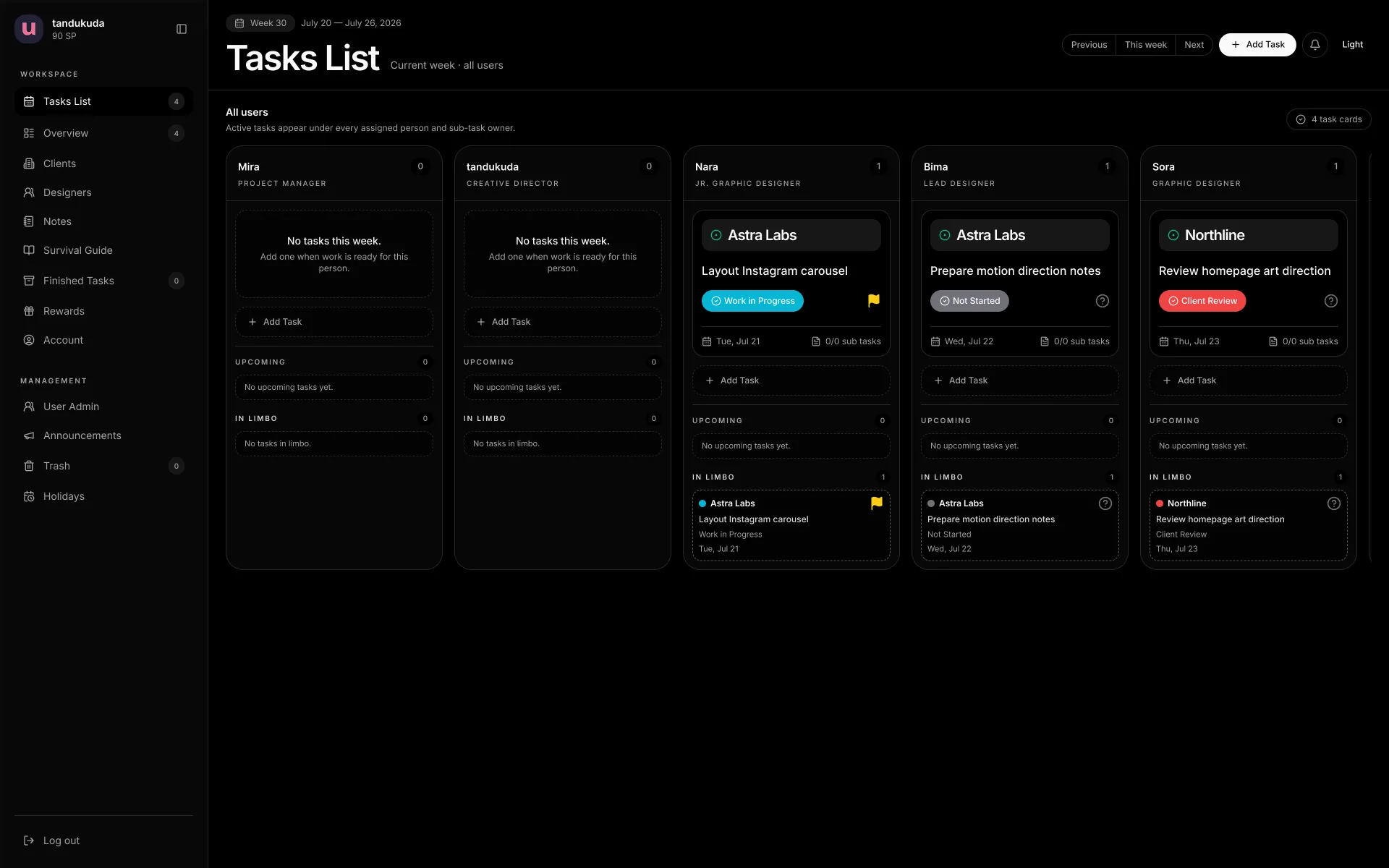
I started in late June with a Next.js prototype deployed on Vercel and a Neon PostgreSQL database behind it. It was fast to set up, easy to iterate on, and good enough to turn the idea into something people could touch. The first version handled the obvious things: users, tasks, weekly work, assignments, due dates, comments, files, and a shared view of what everyone was carrying. Nothing heroic. Just a private board with enough structure to replace the usual coordination fog.
Then real people started using it. That is where every internal tool stops being a tidy idea and becomes a conversation.
Nobody arrived with a 47-slide deck titled Why This Kanban Board Has Failed Us. The feedback came in smaller, more useful forms: the app felt slower than it should, updates did not feel immediate enough, and certain workflows asked for more effort than they deserved. The board worked, but “works” and “feels good enough to use every day” are very different standards. Once the tool starts demanding more attention than the task itself, it has already lost the argument.
That was the moment SCI-Kanban stopped being a quick Kanban board and became a real product problem.
Moving Out of the Serverless Apartment
The first architecture was useful, but it was not where the app needed to stay. So I moved SCI-Kanban to a VPS and rebuilt the production setup around Docker Compose, PostgreSQL, Caddy, and private local file storage. This was less glamorous than saying “we migrated to scalable infrastructure,” which is usually a phrase delivered by someone standing in front of a gradient background while a cloud icon slowly rotates behind them.
In practice, it meant doing the necessary adult work: setting up Debian, hardening access, running the sacred update and upgrade ritual, deploying the application container, keeping PostgreSQL private, putting HTTPS and reverse-proxying behind Caddy, and planning backups for both the database and uploaded files. Not glamorous, but neither is returning to a bonfire after losing 40,000 souls. Both experiences teach you to respect preparation.
The backup part matters more than it sounds. A database backup without uploaded files is not a backup. It is a very organized list of things you can no longer open. SCI-Kanban stores task files, guide attachments, avatars, and reward images, so the recovery plan needs the database and its matching uploads. Software becomes serious very quickly when someone asks, “If the server dies, can we restore it?” The answer should never be, “Probably. I have faith.” That is not disaster recovery. That is a side quest given by an NPC with suspiciously bad odds.
The VPS gave SCI-Kanban a home that made sense for its purpose: one private studio workspace, with a real database, private files, and clear operational ownership. Coming from a homelab background, the transition felt familiar. Slightly cursed, slightly satisfying, and powered by the belief that installing fastfetch is an essential part of server provisioning. It is not essential. But neither is having a personality, apparently.
A Kanban Board Is Not Just Columns
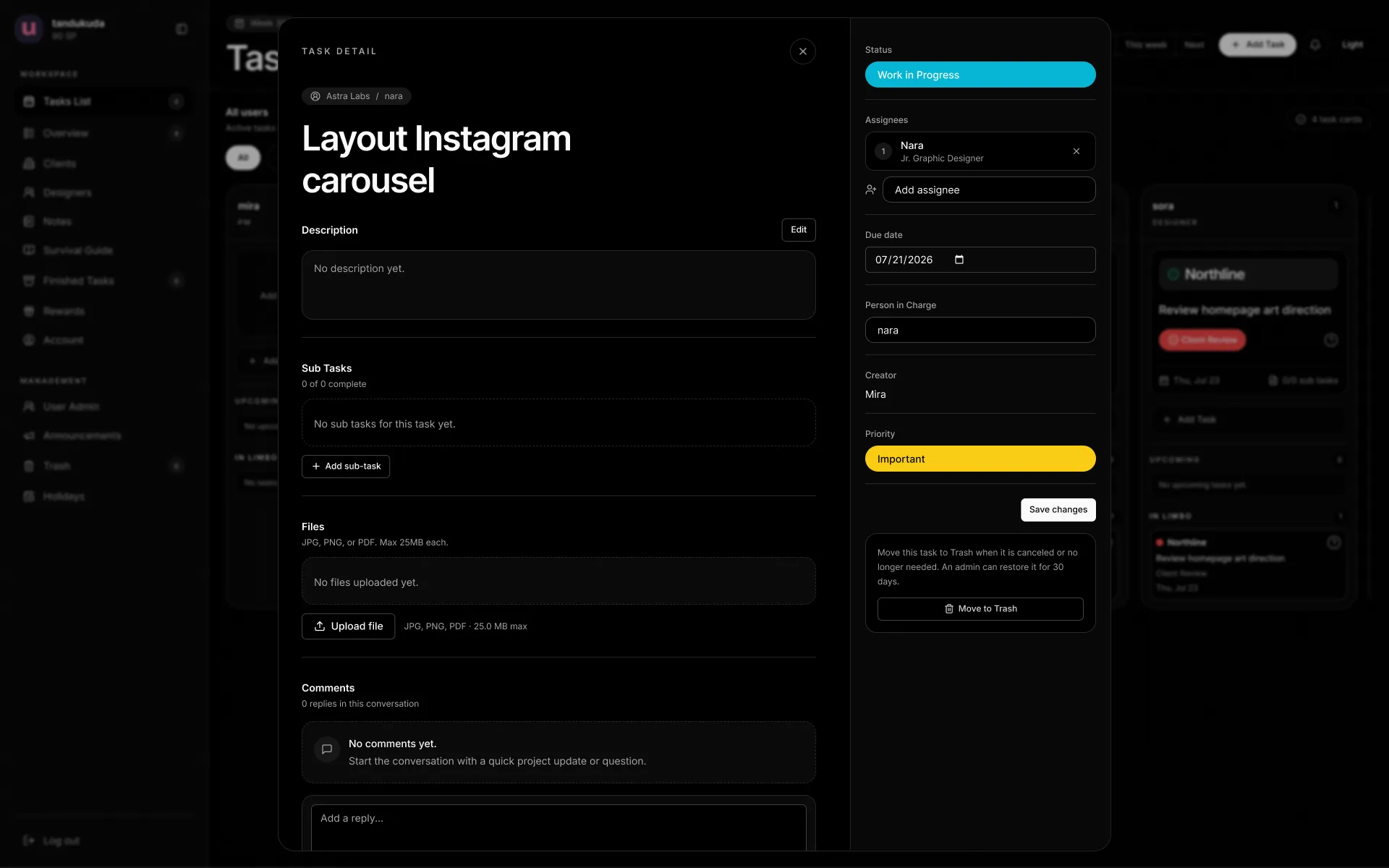
Once the foundation was stable, the app started growing around how the studio actually works. Tasks needed more than a title and a status. They needed assignments, subtasks, priorities, descriptions, comments, activity history, files, recurring work, archive states, client context, and a way to see what was happening across a week.
That sounds obvious when listed out. It is less obvious when you are designing it, because every addition risks turning the app into the exact thing it was meant to avoid: a generic project-management platform with seventeen views, three upsell banners, and a notification system that behaves like it is being paid by the vibration.
The goal was never to copy every feature from Trello, Asana, or Monday. It was to take the parts that matter for Sciencewerk’s workflow and leave the rest behind. SCI-Kanban gradually became a workspace for team planning, client context, internal guides, finished work, personal notes, and task collaboration. There are designer and client views, bulk task creation, weekly and date-based overviews, notifications, archive and trash recovery, and an internal Survival Guide for things the team should not have to rediscover through ritual suffering.
The app also uses real-time updates through Server-Sent Events and PostgreSQL LISTEN/NOTIFY. That is a technical way of saying that when someone changes something important, the rest of the workspace can catch up without everyone refreshing their browser like it is 2011 and FarmVille just ate the office bandwidth.
The Mobile Version Was Not Part of the Plan
The first desktop-first approach was intentional. SCI-Kanban began as a studio tool for planning and coordinating work on a larger screen, where the weekly board, client reports, administration, and bulk creation have room to breathe. Then people asked to use it on their phones, because users have the audacity to need their work while not sitting in front of a monitor.
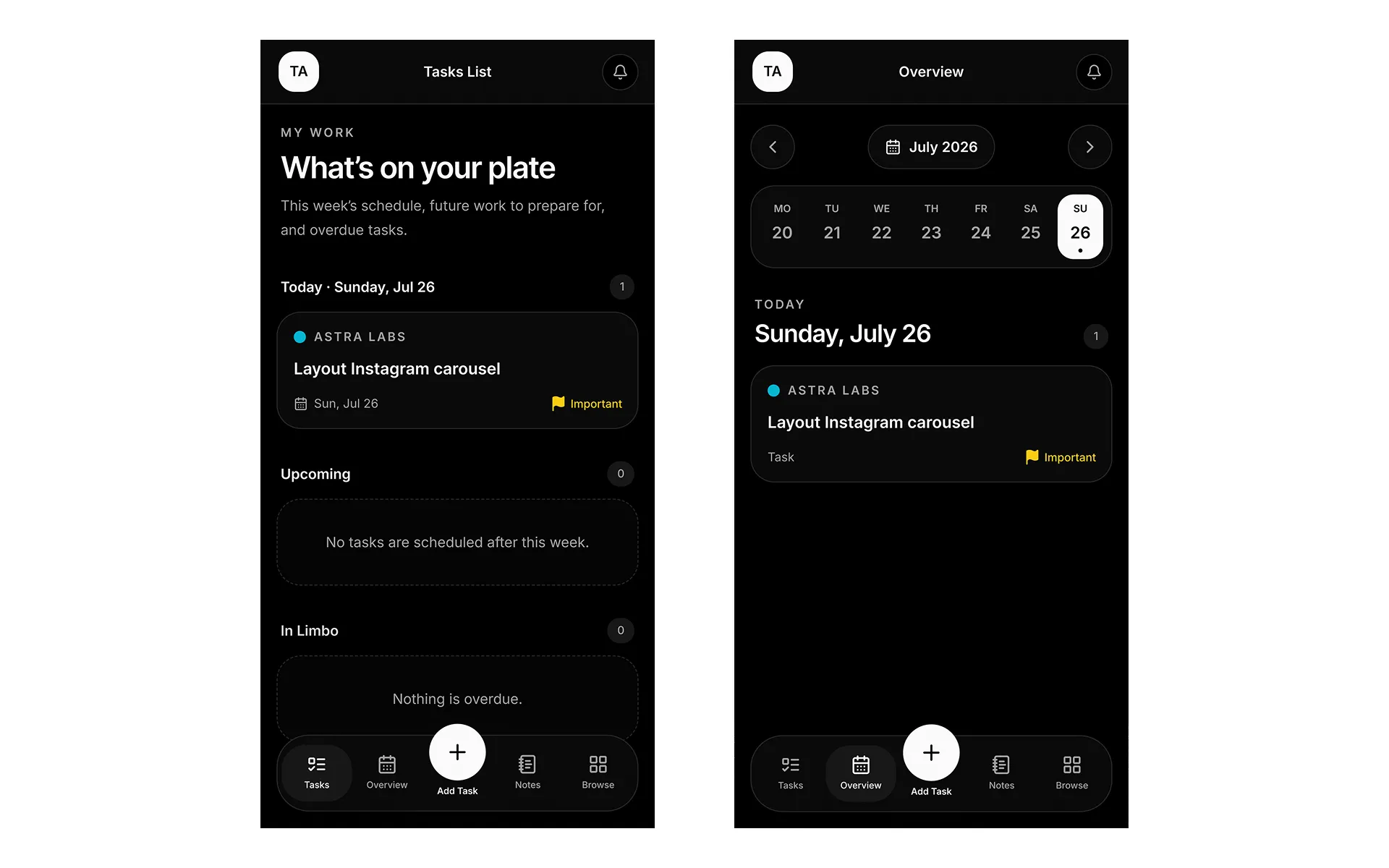
I did not want to simply shrink the desktop interface until it became a small, angry spreadsheet. That is not responsive design. That is a hostage situation with media queries. Instead, the mobile experience was designed around a different job: helping designers quickly check and update their own work away from a desk.
The mobile navigation focuses on Tasks, Overview, Add Task, Notes, and Browse. Personal tasks are grouped into useful sections like This Week, Upcoming, and In Limbo. Larger administrative views remain desktop-oriented, because pretending every workflow belongs on a phone is how people end up editing databases in airport queues and accidentally triggering the bad ending.
Mobile does not need to reproduce the entire desktop app. It needs to respect the context in which people are using it.
Yes, There Are Gimmicks
I like minimal software. I also like a well-designed gimmick. Those ideas are not enemies. The problem is not delight; the problem is when delight becomes the product, and the product becomes a casino lobby with productivity branding.
SCI-Kanban has Studio Points, rewards, coupons, unlockable themes, avatar frames, and a DIY visual theme that lets people personalize the workspace without turning it into a profile page from 2009. The rewards are deliberately secondary. They are there to make routine work feel a little more human, not to convince people that completing a task is equivalent to defeating a boss in Elden Ring.
If the task system ever needs loot boxes, a seasonal battle pass, or a limited-edition sword for closing five tickets, someone should take my laptop away. A Kanban board does not need to become Destiny 2 just because everyone enjoys a progress bar.
The Part I Did Not Expect
The biggest thing SCI-Kanban gave me was not a finished app. It was feedback. I have made small apps, experiments, and SaaS-shaped ideas before, but this is the first project where a group of real people uses the product, finds friction, asks for changes, and returns the next day expecting the tool to have learned something.
That loop changes everything. You stop designing for an imagined user. You stop adding features because a competitor has them. You start noticing repeated behavior, repeated questions, and repeated friction. Then you either fix it or learn why it exists. It is less like building a level in a game and more like live balancing after players find a way to cheese the boss in six minutes with an item you forgot existed.
By this point, SCI-Kanban had a proper deployment path, database migration phases, backup and restore documentation, access roles, authenticated private file handling, real-time updates, and a release process that does not depend entirely on optimism. It is still evolving, but the next work is mostly about reducing friction in the actions people repeat most: creating tasks, updating status, assigning people, commenting, uploading files, and understanding daily workload.
That is the interesting part. The app did not become meaningful because it has more features than the first board. It became meaningful because it now has a relationship with the people using it. It started as “can you make us a simple Kanban board?” Now it is a private studio workspace that reflects how Sciencewerk actually works, including the messy parts, the human parts, and the occasional need to make a task board feel slightly less like a task board.
Concept, design, and development by tandukuda, for Sciencewerk.