As the years go by, I’ve realized just how much it bothers me when tools don’t work the way they’re supposed to. For example, Adobe’s interfaces always seem to make me rearrange my workspace. While most of my colleagues are fine with the default setup, I can’t help but want everything organized just the way I like it—even if my habits are a bit quirky!
I feel the same way about using my computer. It drives me up the wall when simple features are hidden behind paywalls. Sure, some people will just pay for the convenience, but I’m always on the hunt for better, more efficient solutions. Of course, there are times when I’m not even sure where to begin!
But instead of just complaining, I decided to do something about it. That drive for order and efficiency led me to start building my own apps and web tools. Tackling these little challenges as personal projects not only helped me solve my own problems but also turned into a surprisingly fun and rewarding hobby.
LiteQR
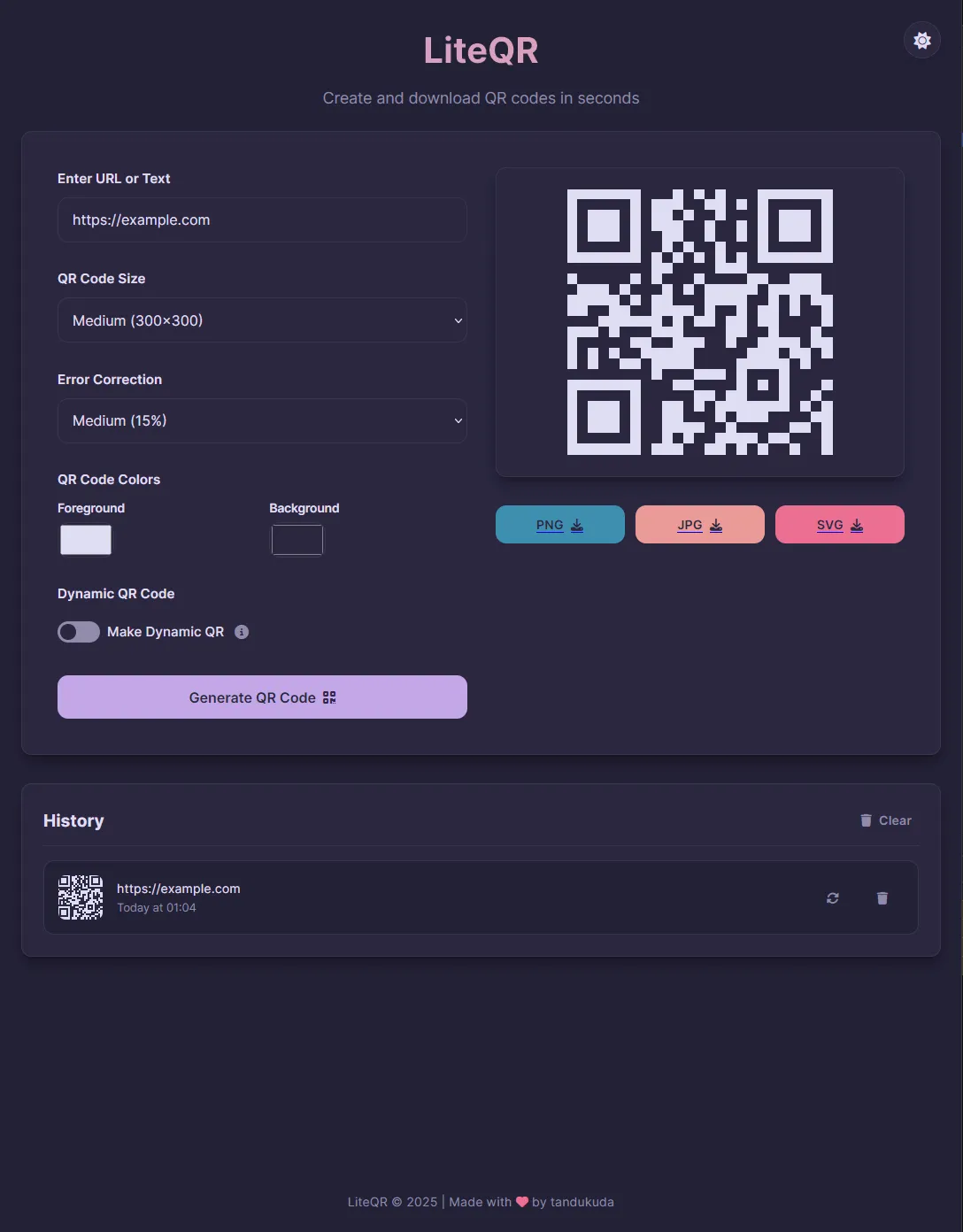
LiteQR was the first tool I ever built. Back in university, I tried out a ton of different QR code makers. Most of them worked pretty well, but I kept running into one small (but seriously annoying) issue: changing the QR code’s color was either locked behind a paywall or way too complicated. It felt like such a basic feature that could make life easier for so many people!
And don’t even get me started on saving as SVG! Sure, a lot of designers prefer PNGs or JPGs, but sometimes I just need the SVG file so I can make the QR code bigger without losing quality—or just to tweak the color once I’m done designing.
With a little help from Claude AI, I finally got the chance to build a tool of my own. My main goal was simple: create something anyone could use—no paywalls for the basics. It might sound a bit idealistic. I know developers need to make a living (and I’d be thrilled if people wanted to support my apps, too!), but I believe there’s a better way to go about it.
Using JavaScript as the backbone (again, with a little help from Claude AI), everything just seemed to click. I ended up building a tool that lets anyone—including me—generate a QR code, change its color and size, adjust error correction, and even use Dynamic QR Codes (which, in my opinion, is a super underrated feature).
SceneShift
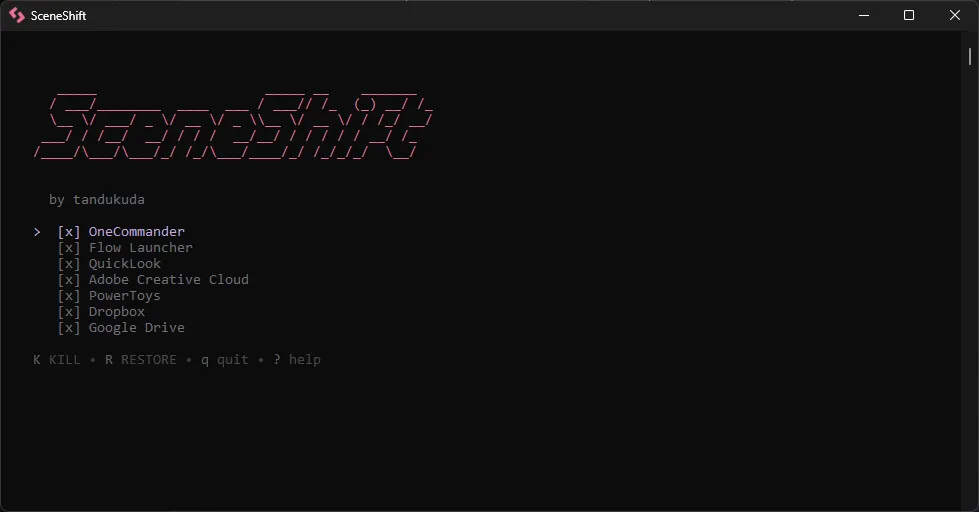
My laptop isn’t exactly a powerhouse for rendering or gaming, but I make do. I also love customizing the look of Windows 11, which means I end up running quite a few background apps. The downside? They eat up so much power and resources that I can’t really render or game without shutting them all down first—one by one. It gets old, fast. I wrote a bash script to close them all at once, and I’ve been using it for over a year. But every time I install a new program, I have to open Task Manager, find the path, and add it to the script by hand.
But then I thought—what if my friends or colleagues have the same problem, but don’t know how (or want) to write their own bash scripts? That’s why I built SceneShift—using Go and Bubble Tea.
The first version wasn’t exactly user-friendly—I still made people add programs manually through a text editor, which, let’s be honest, wasn’t much better than my original bash script. With version 2.0, though, I added a full CRUD (Create, Read, Update, Delete) system so users can add or remove programs and even customize the app’s theme.
Right now, the biggest issue is that users can accidentally suspend important system apps (like explorer.exe). I’m planning to add a feature to warn users or create a “Do Not Touch” list to make the experience smoother. That update should be ready by Q2 this year, at the latest.
Honorable Mention
I’ve also made a handful of apps that are basically clones of existing ones. I built them to understand how the original worked—so I could learn the language and the logic. It’s been a great way to practice and improve my programming skills.
For most of my projects, it’s just me typing a quick prompt to an AI and letting it write the code—what a lot of people now call “Vibe-Coding.” But after making a few projects this way, I’m ready to start my own journey of learning to code for real and getting good at it.